This comprehensive tutorial will guide you through the intricacies of Synthesizer V, a powerful vocal synthesis software, and demonstrate how to make your SynthV project speak with natural-sounding speech. We will explore various vocal modes, essential setup procedures, and advanced techniques to bring your spoken word to life.
Introduction to SynthV and AI Voice
What is SynthV?
Synthesizer V, often referred to as SynthV, is sophisticated vocal synthesis software developed by Dreamtonics. It allows users to produce realistic singing and spoken word using AI-powered voice banks. This innovative tool empowers musicians and content creators to craft compelling vocal performances without needing a human singer, offering unparalleled control over vocal quality, pitch, and expression. With various versions available, including Synthesizer V Studio and Synthesizer V Studio Pro, it caters to both basic and advanced users.
The Role of AI in Vocal Synthesis
The core of SynthV’s capability lies in its advanced AI technology, which drives the vocal synthesis process. This AI allows SynthV to generate highly natural and expressive voices, capable of nuanced speech and intricate singing. By leveraging machine learning, SynthV can analyze and reproduce human vocal characteristics, enabling it to accurately replicate different vocal modes and styles, making the synthetic voice virtually indistinguishable from a real one. The AI models can be trained on extensive datasets to produce high-quality voice.
Overview of Vocal Modes in SynthV
Synthesizer V offers various vocal modes, each designed for specific expressive purposes. These modes dictate how the AI generates the voice, influencing its tone, clarity, and overall character. Understanding these vocal modes is crucial for achieving the desired sound, whether you’re aiming for a casual spoken word piece or a dynamic rap performance. Experimenting with different modes allows users to fine-tune the vocal output to perfectly match their creative vision and the demands of their song or speech.
Setting Up Your Synthesizer V Studio
Required Software and Hardware
To begin your journey with Synthesizer V, you’ll need the Synthesizer V Studio software itself, with either the basic version or the pro version offering advanced features like cross-lingual synthesis. While not strictly mandatory, good-quality audio interfaces and studio monitors are highly recommended for accurate monitoring of the vocal output. This setup ensures you can precisely hear and adjust the nuances of your SynthV voice, allowing for optimal production techniques and high-quality sound.
Configuring the Audio Settings
Once you have the software installed, configuring the audio settings in Synthesizer V Studio is a crucial step. This involves selecting your input and output devices, adjusting buffer sizes to minimize latency, and ensuring optimal sample rates for your project. Proper audio configuration guarantees a smooth workflow and prevents any sound glitches or delays during playback and editing. Taking the time to set these parameters correctly will significantly enhance your user experience and the overall quality of your vocal production.
Exploring the Interface: Panels and Options
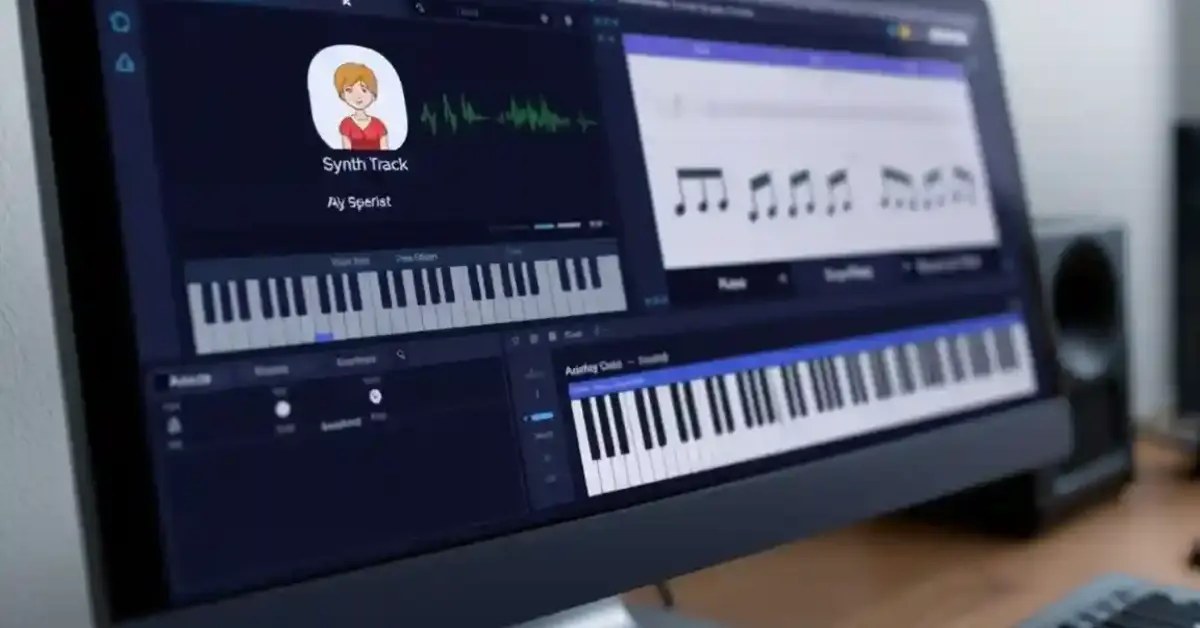
The Synthesizer V Studio interface is intuitively designed, featuring various panels and options that provide comprehensive control over your vocal synthesis. Key panels include the piano roll for note and pitch editing, the phoneme timing panel for precise speech adjustments, and the parameter panel for fine-tuning vocal qualities like tension, breath, and vocal modes. Familiarizing yourself with these tools is essential for effectively manipulating the voice and achieving your desired vocal expression and sound.
Creating Vocal Tracks with SynthV
Choosing the Right Vocal Type
Selecting the appropriate vocal type is a fundamental step in Synthesizer V, as it significantly impacts the final sound of your production. SynthV offers a diverse range of AI voice banks, each with unique characteristics and vocal modes, from powerful opera voices to soft, ethereal tones. Experimenting with different voice types allows you to find the perfect fit for your song or spoken word project, ensuring the voice conveys the intended emotion and style.
Importing Lyrics and Setting Phoneme Timing
Once you’ve chosen your vocal type, importing lyrics into Synthesizer V Studio is straightforward. You can simply type or paste your lyrics into the dedicated lyric panel. Crucially, adjusting the phoneme timing panel is essential for achieving natural-sounding speech. This panel allows you to precisely control the duration and articulation of each phoneme, ensuring the words flow smoothly and are clearly understandable, making the voice sound more human.
Tuning Your Vocal Performance
Tuning your vocal performance in SynthV goes beyond basic pitch correction; it involves shaping the emotional expression and dynamic range of the voice. Utilizing the piano roll, you can meticulously adjust the pitch curve of individual notes, introduce vibrato, and manipulate parameters like tension and breath to add depth. These production techniques allow you to fine-tune the vocal performance, giving it a professional and emotionally resonant quality that perfectly matches your music.
Using Speech and Spoken Word Features
Understanding the Speech Mode
The dedicated speech mode in Synthesizer V is specifically designed to generate realistic spoken word, differentiating it from singing modes. This mode leverages advanced AI algorithms to mimic the natural cadences, inflections, and pauses found in human speech. By activating speech mode, you unlock a powerful set of tools to produce clear, expressive dialogue, making it an invaluable feature for podcasts, audiobooks, or any project requiring natural vocal delivery.
Adjusting Parameters for Natural Speech
To achieve truly natural speech, precise adjustment of various parameters within Synthesizer V Studio is essential. Beyond pitch, focus on parameters like tension, breath, and vocal modes to add subtle nuances. Experiment with the length and intensity of consonants and vowels, and utilize the parameter panel to fine-tune the delivery. These meticulous adjustments contribute significantly to the overall voice quality, making the synthesized speech virtually indistinguishable from a human speaker.
Creating Casual Dialogue
Creating casual dialogue with SynthV involves understanding how natural conversation flows and replicating it using the software’s features. Focus on varying the rhythm and pitch of sentences to avoid a monotonous delivery, and use the phoneme timing panel to introduce subtle pauses and hesitations that mimic real speech. Experimenting with different vocal types can also contribute to a more relaxed and authentic sound, making your SynthV voice sound genuinely conversational.
Exporting and Sharing Your Work
Rendering Your Vocal Track
Once you have meticulously crafted your vocal performance using Synthesizer V, the next crucial step is rendering your vocal track. This process converts your SynthV project into an audio file, allowing you to use it in other music production software or share it. Ensure your audio settings are optimized for the best sound quality, considering sample rate and bit depth. Exporting your track as a high-quality WAV file is recommended for maximum flexibility and fidelity.
Sharing on Social Media and Music Platforms
Sharing your work on social media and music platforms allows you to showcase your creative output to a wider audience. Platforms like YouTube, SoundCloud, and Bandcamp are excellent venues for distributing your SynthV tracks. When sharing, consider adding a brief description of your process, highlighting the use of Synthesizer V and any unique production techniques. Engaging with comments and feedback can also help you grow as an artist and learn from other users.
Creating a Video Tutorial of Your Process
If you’ve discovered unique ways to make SynthV talk or achieve specific vocal effects, consider creating a video tutorial of your process. Sharing your knowledge on platforms like YouTube can be incredibly valuable to the SynthV community. You can demonstrate how to use various vocal modes, adjust parameters, or even integrate SynthV into a larger music production workflow. A well-produced tutorial can help others learn and master the software.
Conclusion and Further Resources
Summary of Key Points
Throughout this tutorial, we’ve explored the comprehensive capabilities of Synthesizer V, from understanding its AI voice technology and vocal modes to setting up your studio and fine-tuning vocal performances. We’ve emphasized the importance of choosing the right vocal type, precisely adjusting phoneme timing, and utilizing speech mode for natural spoken word. Mastering these production techniques is key to unlocking SynthV’s full potential and producing high-quality vocal tracks.
Recommended Tutorials and Communities
To further enhance your SynthV skills, we recommend exploring official Dreamtonics tutorials and user manuals, which provide in-depth information on advanced features and production techniques. Engaging with the vibrant SynthV community on forums like Vi-Control or Reddit can offer valuable tips, insights, and opportunities to connect with other users. These resources are excellent for learning new tricks and staying updated on the latest software developments.
More Post : When You Don’t Know What To Say In Conversation
Future Updates and Features in SynthV
The developers at Dreamtonics are continuously working on future updates and features for Synthesizer V, promising even more advanced AI capabilities and enhanced vocal modes. Keeping an eye on official announcements and product roadmaps will ensure you stay ahead of the curve. These updates often include improvements to voice quality, new vocal types, and additional tools that further empower users to create incredibly realistic and expressive vocal performances.